Internal.io is used to upload all the coverage to the client dashboards.
If you need to be setup with login details, please contact Gregor MacKenzie.
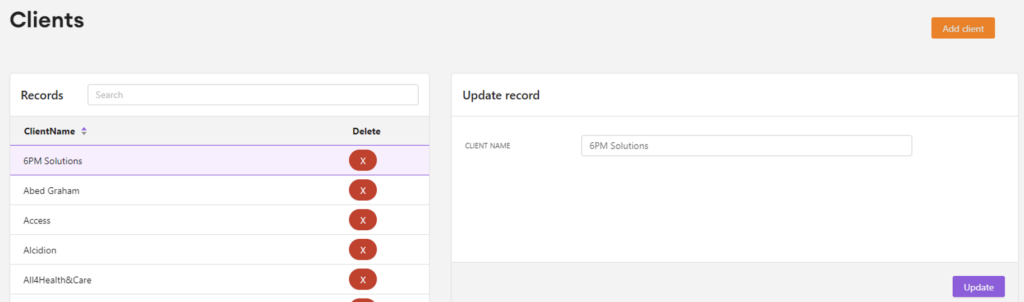
To update clients on Internal:
- Select clients
- To add a new client click add client
- Type in the client’s name
- Click submit
- If you need to change a client’s details, click on the client in the records box
- Update the record
- Then click update
- See below:
To update publications on Internal:
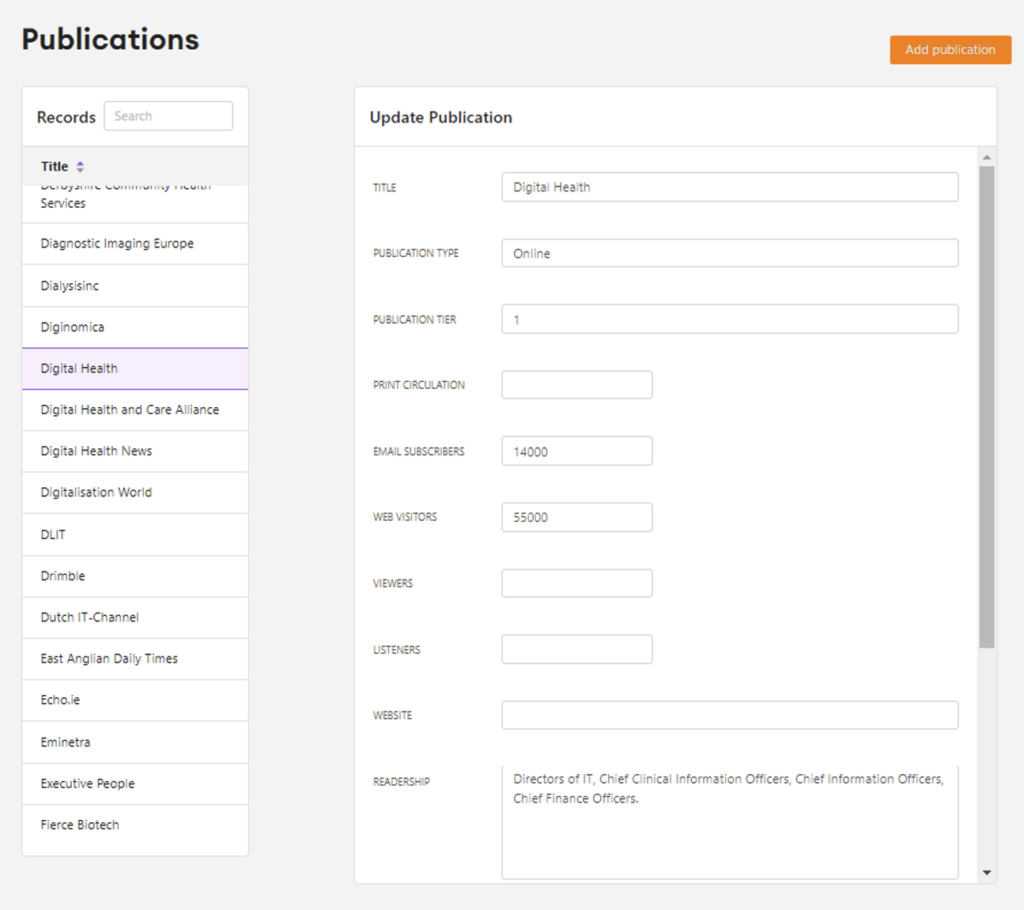
- Select publications
- To add a new publication select add publication
- Then fill out the form with all the information you have on the publication. You will get this from their website or media pack, the more information the better.
- The description box should be written like the following: Website covering the European eHealth industry, research and conference news. The website is divided into the following sections: business and industry, research and development, conferences and events, download, open calls, industry, development, research, opinion, publications, and white papers.
- Select submit
- To change the details of a publication, select the publication you want to change in the record box
- Then update the relevant boxes
- Click update publication
To add in a piece of coverage in Internal:
- Select coverage
- Select add coverage
- Select the client’s name
- Select the correct publication
- State whether it was on the homepage
- Select what the article was generated by ie opinion article, press release etc
- Select coverage type ie online, newsletter, print or newsfeed
- Copy the website link for the piece of coverage into the URL box
- Select the date the publication featured the coverage
- State whether it was proactive or not
- Copy and paste the release title into the release name box. Make sure there are no spaces at the end.
- Select whether it is positive or negative coverage.
- If there are any coverage notes add into that box ie Featured on pages 12-13 or Featured in the movers & shakers section.
- Double check all the details are correct
- Select submit
When you are searching on Internal you cannot just search the client name you have to put “client=Clinisys” or “publication=health tech world”.
Once the coverage is added on Internal it will appear in the client dashboard.