Here are the instructions to add the holiday calendar to outlook. You will need to log in to People HR to do this.
- Log in to PeopleHR.
- Click on “planner” on the left hand side.
- Make sure “all offices”, “all departments” & “all employees” are ticked.
- Click on calendar feed on the right hand side.
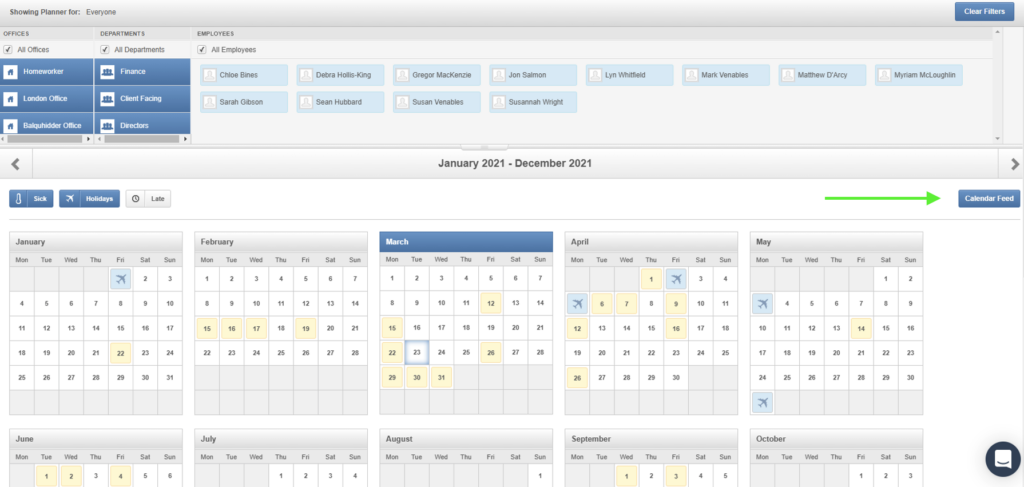
- On the next screen untick sick and late, click on reset then highlight the URL and press ctrl c.
- Now go to outlook calendar and click on the down arrow next to open calendar and select “from internet”.
- Paste the URL in the box, click ok and then click yes.
- The calendar should then be listed with all your other calendars (possibly down the bottom). Move this up to “my calendars”. I always have this calendar open, under my actual calendar.
- To lay the holiday calendar permanently under your own you need to click on the arrow next to the calendars name:

FYI – this can take a few hours to update once a holiday has been approved via People HR